We plan repeatable modular kiosk units around customer flow, staff access, utilities, site conditions, and rollout schedules.
Expanding a kiosk program across multiple locations can become complicated quickly.
One property may need a compact customer-service point. Another may require a larger kiosk enclosure for food-service operations, with equipment and utilities installed separately by the customer. A third may need a larger storefront-style unit with increased visibility, secure staff access, and space for equipment or inventory.
When every location develops its own kiosk specification, costs become harder to compare and future orders become harder to repeat. Window placement changes. Equipment and site requirements vary. Finishes drift. Site-access issues surface late. Each new order begins with another round of decisions.
We provide kiosk unit solutions that bring configuration, site requirements, transportation, assembly, and rollout timing into one coordinated plan.
We work with development, operations, facilities, procurement, and construction teams across the United States, Canada, and Puerto Rico. Our approach helps establish approved kiosk formats that can be repeated across locations while allowing practical variations for different properties.
Start With What the Kiosk Needs to Do
The first decision is not the size of the unit. We begin with its operating purpose.
Our kiosk units can support applications such as:
- Customer service and information
- Ticketing and check-in
- Retail sales
- Order pickup and handoff
- Walk-up food service
- Event and seasonal operations
- Security and access control
- Vendor service
- Compact storefront use
- Regional rollout programs
Each application requires a different layout.
A ticketing kiosk may require a service window, secure access, and space for customer-installed equipment. A food-service kiosk may need a larger enclosure with suitable service-window placement and room for separately installed equipment. Flatbox supplies the kiosk structure; customers arrange electrical, plumbing, HVAC, and other operational systems independently. A retail storefront may need broader display space, signage areas, network preparation, and more interior capacity.
We define the operating role before production so the footprint and configuration support daily use.
Key planning questions include:
- What service will the kiosk provide?
- How many employees will work inside?
- Will customers order, pay, collect, check in, or receive information?
- Which equipment must fit within the unit?
- Where should doors, counters, and service windows be placed?
- How will customers approach and leave the service area?
- How will staff, deliveries, and maintenance teams access the kiosk?
- Which utilities are required?
- Will the same configuration be deployed at additional locations?
Clear answers help us establish the right starting point and reduce avoidable changes later.
Share your intended use, preferred footprint, number of locations, operational requirements, target markets, and rollout schedule.

Compare Kiosk Configurations by Application
A larger kiosk is not automatically a better fit.
A compact unit may work well for ticketing, information services, customer pickup, security, event operations, or focused retail service. A mid-size format may provide more room for food service, merchandise, additional staff, equipment, and storage. A larger storefront-style kiosk may support broader displays, several work zones, customer-facing entrances, and higher-capacity operations.
We help select the footprint around the workflow rather than defaulting to the largest available format.
Our configuration planning can include:
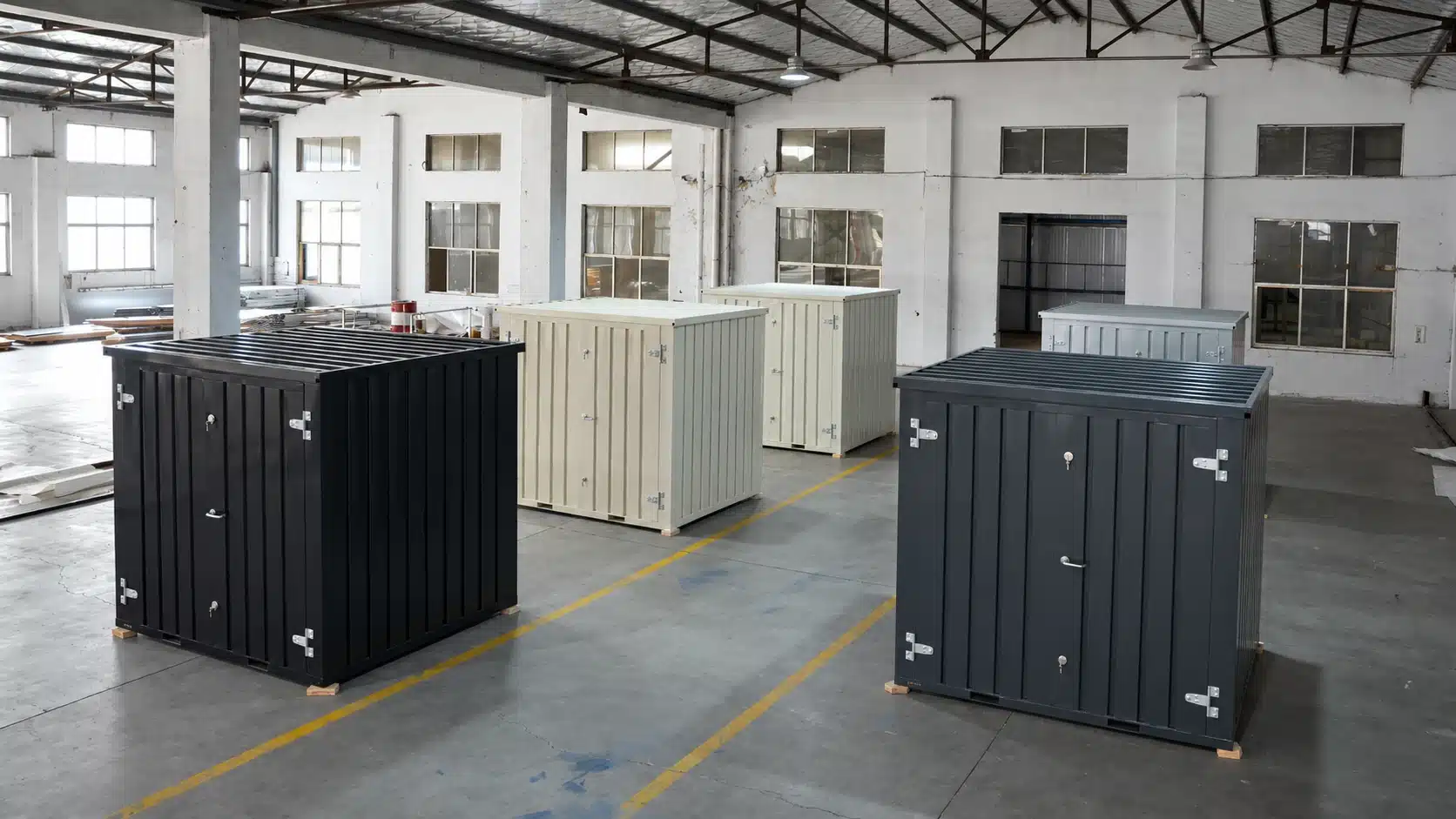
- Kiosk size: 10′, 13′, or 19′
- Service-window placement
- Door placement and staff access
- Powder-coated finishes and RAL colour options
- Secure locking systems
- Optional insulation and anti-condensation treatments
- Additional service windows, where available
For multi-site operations, Flatbox offers standardized modular kiosk configurations with available customization options. Electrical, plumbing, HVAC, and equipment installations are arranged separately by customers.
Plan Customer Flow and Staff Access
A kiosk must work from both sides of the service point.
Customers need a clear place to approach, wait, order, collect, or check in. Staff need enough space to move between counters, equipment, storage, windows, and access points without unnecessary congestion.
The surrounding property also influences the layout.
We review:
- Customer approach
- Queue placement
- Pickup and handoff flow
- Staff entry
- Delivery access
- Pedestrian routes
- Vehicle circulation
- Existing building entrances
- Outdoor seating
- Security boundaries
- Waste handling
- Maintenance access
The position of one window or door can affect the entire site.
We plan these access points around daily operations so the kiosk does not create avoidable conflicts with customers, employees, deliveries, or traffic.
For repeat deployments, we can establish approved layout patterns for different environments, including retail centers, transportation locations, restaurants, campuses, venues, and outdoor commercial sites.
Coordinate Utilities and Equipment Before Production
The kiosk enclosure is only one part of the completed installation.
Depending on the application, the project may require electrical service, lighting, heating and cooling, plumbing, ventilation, refrigeration, network connections, point-of-sale infrastructure, or specialized equipment.
We recommend defining these requirements before production begins.
Planning may include:
- Electrical loads and panel requirements
- Interior and exterior lighting
- HVAC preparation
- Plumbing preparation
- Water and drainage
- Ventilation or exhaust
- Point-of-sale and network needs
- Refrigeration
- Service equipment
- Counters and work zones
- Accessibility considerations
- Placement or foundation requirements
- Local reviews, permits, and inspections
Coordinate Customer-Managed Utilities and Equipment
Flatbox supplies modular steel kiosk enclosures for commercial applications. Depending on the intended use, customers may require electrical connections, lighting, plumbing, heating, cooling, ventilation, network infrastructure, or specialized equipment.
These systems are not supplied or installed by Flatbox. Customers should coordinate their requirements with qualified contractors and relevant local authorities.
Before ordering, confirm the preferred kiosk size, service-window placement, door configuration, and available customization options. Customers are responsible for site preparation, utility connections, equipment installation, permits, and applicable approvals.

Standardize the Core Kiosk Specification
Multi-site programs need consistency, but properties are rarely identical.
One location may have restricted delivery access. Another may need a different service-window orientation. A third may require additional customer-arranged utility installation or a different customer approach.
We help establish a repeatable core configuration with controlled variations for local requirements.
A standardized program may define:
- Available service-window configurations
- Door-placement options
- Standard kiosk sizes and approved finishes
Flatbox helps commercial buyers standardize kiosk sizes, service-window placement, door configurations, finishes, and available accessories across multiple locations. Customers coordinate utility installations, equipment integration, and site-specific requirements separately.
Understand the Complete Rollout Cost
The base unit price is only one part of a kiosk project.
A full rollout may also include:
- Configuration options
- Customer-arranged utility installation
- Finishes
- Customer-supplied equipment
- Freight
- Unloading
- Assembly
- Site preparation
- Utility connections
- Local engineering
- Permits and inspections
- Equipment installation
- Final activation work
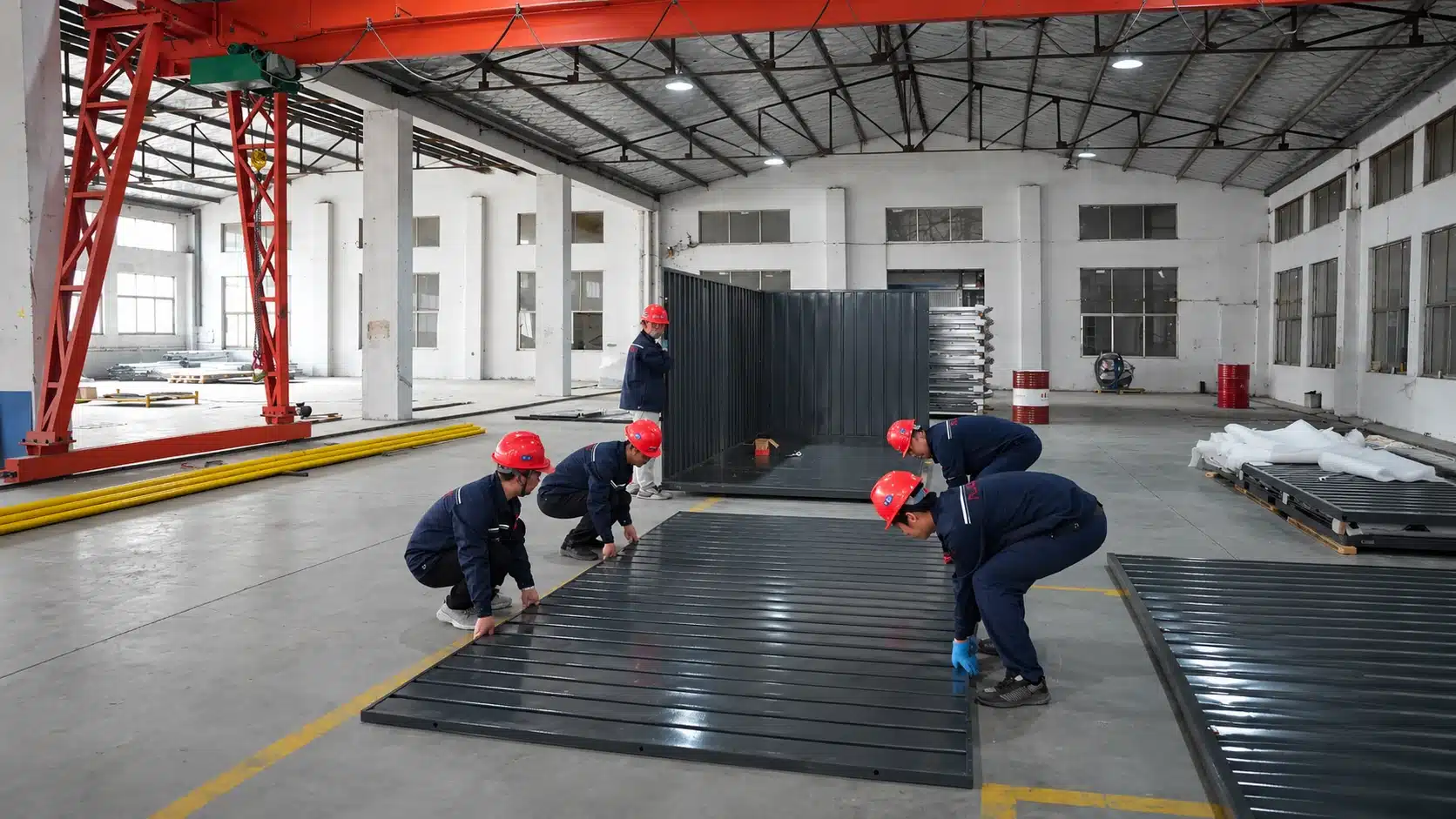
Our flat-pack units ship in compact form and are assembled at the destination. This format can make freight easier to coordinate for certain multi-unit or access-restricted projects.
Final transportation and deployment costs depend on quantity, routing, destination, configuration, unloading requirements, and site conditions. We do not promise a fixed savings percentage or identical results across every location.
We focus on clear scope and better cost visibility. By reviewing the configuration, options, destinations, site requirements, and rollout schedule together, we help teams evaluate the complete project rather than comparing base prices alone.
Provide your locations, quantities, selected configurations, options, and target installation dates for project-specific pricing.
Coordinate Production, Shipping, and Site Readiness
Launch dates, remodel schedules, seasonal programs, and event calendars create real timing pressure.
Our production timeline is approximately 4–6 weeks. Shipping typically requires an additional 4–6 weeks after production.
Actual timing may vary according to:
- Order quantity
- Kiosk configuration
- Selected options
- Delivery destination
- Freight routing
- Site readiness
- Unloading requirements
- Project scheduling
We recommend planning backward from the target installation or activation date.
A typical rollout may follow this sequence:
Operational planning → Configuration approval → Production → Freight coordination → Unloading → Assembly → Utility and equipment work → Final activation
Before production begins, we recommend reviewing each location for:
- Delivery-vehicle access
- Unloading space
- Forklift availability
- Assembly workspace
- Surface and placement conditions
- Window and door orientation
- Customer and staff movement
- Utility access
- Operating restrictions
- Target installation date
Our units include forklift pockets, assembly hardware, written instructions, and video guidance.

Modular Kiosk Units for Commercial Applications
Our modular kiosk units can support a wide range of uses.
Retail and Customer Service
Our modular kiosk units offer service-window configurations, secure access, and customizable finishes for retail and customer service applications. Customers arrange electrical systems and retail equipment separately.
Food Service
Flatbox kiosk enclosures provide flexible space for walk-up food-service applications. Customers are responsible for installing food-service equipment, plumbing, ventilation, and other required systems.
Ticketing and Information
We can create compact service points for transportation, venues, campuses, attractions, and public-facing operations.
Security and Check-In
Our modular kiosk units provide secure, customer-facing enclosures suitable for security checkpoints and visitor check-in applications. Lighting and operational equipment are customer-installed.
Events and Seasonal Programs
We can provide repeatable structures for recurring programs where permanent construction may not be practical.
Multi-Site Rollouts
We can establish approved kiosk configurations that are easier to price, order, coordinate, and deploy across several markets.
We sell our units for owned deployment. We do not offer rentals.
Clear Support From Planning Through Delivery
Flatbox supports commercial kiosk orders by helping customers select suitable enclosure sizes, configurations, and available customization options.
Our work extends beyond supplying an enclosure. We help coordinate:
- Intended kiosk application
- Standard unit sizes
- Service-window placement
- Door configurations
- Powder-coated finishes
- Available customization options
- Order quantities
- Freight and delivery coordination
- Assembly information
- Repeat orders
Build Your Multi-Site Kiosk Plan
We support kiosk programs across the United States, Canada, and Puerto Rico.
To begin planning, share:
- Intended application
- Number of locations
- Preferred footprint
- Customer-service requirements
- Equipment needs
- Utility requirements
- Site-access conditions
- Target markets
- Installation schedule
Call: (407) 951-4274
Email: info@flatboxsolutions.com
Plan repeatable kiosk configurations around your operations, property conditions, and rollout schedule.